WordPress vs Custom Development in 2026: Which Stack Actually Wins?
Choosing the right technology stack for a website or web application has become more complicated in 2026.
WordPress continues to evolve with modern block editing, APIs, headless capabilities, and a huge ecosystem of plugins and integrations. At the same time, custom development has become more accessible thanks to modern frameworks, cloud platforms, reusable components, and AI-assisted development tools.
So, WordPress vs custom development — which one should you choose?
The answer depends on what you are building.
Instead of asking which technology is universally better, businesses should consider performance, flexibility, scalability, security, development speed, maintenance, ownership, and long-term costs.
1. WordPress in 2026: The Content & Velocity Machine
WordPress remains one of the most practical choices for businesses that need to launch and manage content quickly.
Its biggest advantage is not simply that it is easy to install. The real advantage is the combination of a mature CMS, large ecosystem, familiar administration experience, and thousands of integrations.
For businesses that need websites, blogs, corporate portals, marketing websites, WooCommerce stores, or content-heavy platforms, WordPress can significantly reduce development time.
Where WordPress Shines
Fast Development
Pre-built themes, plugins, block editors, and established development patterns allow teams to launch websites considerably faster than building every component from scratch.
Easy Content Management
Marketing teams can create and update pages, blog posts, images, products, and other content without depending on developers for every change.
Large Ecosystem
WordPress has a huge ecosystem of plugins, themes, developers, hosting providers, integrations, and third-party services.
SEO-Friendly Foundation
WordPress can support strong SEO implementations through proper technical configuration, structured content, metadata, sitemaps, performance optimization, and SEO plugins.
WooCommerce
For businesses selling products online, WooCommerce provides a flexible foundation without requiring a completely custom ecommerce platform.
Where WordPress Can Become Challenging
WordPress flexibility can also create complexity.
A website that relies heavily on plugins, poorly optimized themes, large databases, or unnecessary functionality can become difficult to maintain and optimize.
For highly specialized applications, developers may eventually need custom plugins, custom APIs, database optimization, or a headless architecture.
2. Custom Web Development: Maximum Control
Custom development takes a different approach.
Instead of starting with a general-purpose CMS, developers build the application architecture around the specific requirements of the business.
Modern stacks can include technologies such as Next.js, React, Laravel, CodeIgniter, Node.js, PostgreSQL, MySQL, and cloud infrastructure.
The exact stack depends on the project.
Where Custom Development Shines
Complete Control
Developers control the architecture, database structure, APIs, frontend, authentication, business logic, and integrations.
Performance Optimization
Because unnecessary CMS functionality and plugins can be avoided, the application can be designed around specific performance requirements.
Complex Business Logic
Custom development is particularly useful when a project requires complicated workflows, dashboards, automation, third-party integrations, or unique business rules.
Scalability
A custom architecture can be designed around expected traffic, data volume, integrations, and future product requirements.
Unique User Experiences
If the website is actually a product or application rather than a traditional content website, custom development provides greater freedom over the user experience.
3. WordPress vs Custom Development: Key Differences
| Factor | WordPress | Custom Development |
|---|---|---|
| Development speed | Fast | Depends on complexity |
| Initial cost | Usually lower | Usually higher |
| Content management | Excellent | Must be developed/integrated |
| Custom functionality | High with development | Very high |
| Flexibility | High | Maximum |
| Plugin ecosystem | Very large | Build/integrate yourself |
| Performance control | High with optimization | Very high |
| Maintenance | CMS/plugins require maintenance | Application-specific |
| Scalability | Good with proper architecture | Designed around requirements |
| Technical expertise | Moderate | Higher |
| Best for | Websites & content platforms | Products & complex applications |
4. Performance: WordPress vs Custom Development
Performance is often presented as a reason to choose custom development, but the reality is more nuanced.
A well-built WordPress website can be extremely fast.
Performance depends on factors such as:
- Hosting infrastructure
- Database size
- Theme architecture
- Plugin quality
- Image optimization
- Caching
- CDN configuration
- JavaScript usage
- CSS delivery
- Server response time
- Core Web Vitals
A custom application can also perform poorly if it has inefficient queries, excessive JavaScript, poor caching, or an inefficient architecture.
The technology itself does not guarantee performance. The implementation matters.
5. Cost: Which Is More Affordable?
For many projects, WordPress has a lower initial development cost because developers don't need to build every CMS capability from scratch.
Custom development generally requires more engineering work at the beginning.
However, the initial development cost is only one part of the equation.
Businesses should also consider:
- Hosting
- Maintenance
- Security updates
- Plugin licenses
- Developer time
- New feature development
- Infrastructure
- Third-party services
- Long-term scalability
A simple WordPress website may be significantly more economical than a custom application.
But building a complex business platform entirely on top of WordPress plugins can introduce its own development and maintenance costs.
6. Security Considerations
Neither approach is automatically secure.
WordPress security depends heavily on the quality of the hosting environment, plugins, themes, updates, authentication, permissions, and development practices.
Custom applications give developers more control over the architecture, but that also means the development team is responsible for implementing and maintaining security correctly.
A secure development process should include:
- Secure authentication
- Proper authorization
- Input validation
- Protection against common web vulnerabilities
- Dependency updates
- Secure API design
- Database security
- Monitoring and logging
- Backups
- Regular security reviews
7. Scalability: When Should You Go Custom?
A custom architecture becomes increasingly attractive when your project starts behaving more like a software product than a traditional website.
Examples include:
- SaaS platforms
- Customer portals
- Large dashboards
- Marketplace platforms
- Booking systems
- Complex CRM integrations
- Advanced automation platforms
- AI-powered applications
- Large-scale data platforms
- Highly customized ecommerce systems
In these situations, building the architecture specifically around the application's requirements can provide more control.
8. When WordPress Is the Better Fit
WordPress can be a strong option when you need:
- A company website
- A marketing website
- A blog
- A news or publishing website
- A portfolio
- A WooCommerce store
- A content-heavy website
- A website managed by a marketing team
- A website that needs to launch quickly
If the main requirement is publishing and managing content, a mature CMS can save considerable development time.
9. When Custom Development Makes More Sense
Custom development becomes more relevant when you need:
- Complex business logic
- Custom dashboards
- Large-scale integrations
- Unique workflows
- Advanced APIs
- Highly customized user experiences
- SaaS functionality
- Large datasets
- Specialized automation
- Product-specific architecture
In these cases, starting with a custom architecture can make the application easier to shape around the actual business requirements.
10. The Hybrid Approach: WordPress + Modern Development
There is also a third option that businesses often overlook.
You don't always have to choose between WordPress and custom development.
A hybrid or headless architecture can combine the strengths of both approaches.
For example:
WordPress → Content Management
Next.js / React → Frontend
Custom APIs → Business Logic
CDN → Global Content Delivery
This approach can give content teams a familiar CMS while allowing developers to build a modern frontend and application architecture.
For organizations that already have significant WordPress content but want a more modern frontend, this can be a practical transition strategy.
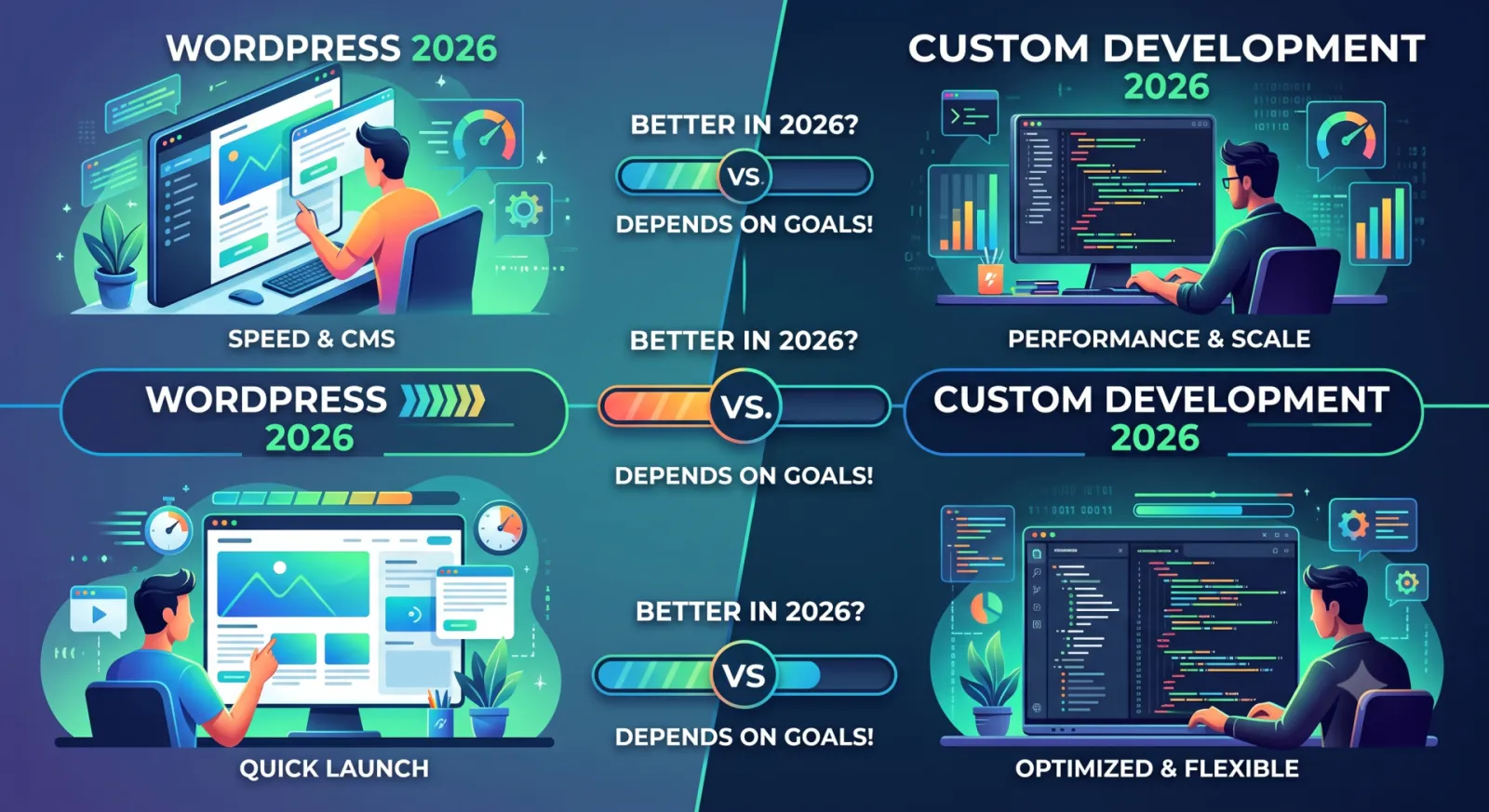
11. WordPress vs Custom Development: The Real Answer
There is no universal winner.
The right architecture depends on the problem you are solving.
Choose WordPress when speed, content management, ecosystem, and ease of administration are important.
Choose custom development when the application requires highly specialized functionality, architecture, workflows, or integrations.
And when both requirements matter, a hybrid architecture may provide the right balance.
The best technology decision is not necessarily the one with the newest framework.
It is the one that provides the right balance of performance, maintainability, flexibility, development speed, and long-term business value.