
Getting started with CAFE Forms
A form needs two things: a field group with the fields, and a form that says what to save. You can make the form in wp-admin or in PHP.
1. Make the field group
In CAFE → Field Groups, create (or reuse) a group, e.g. "Event details" with the fields Venue (Text, required), Date (Date) and Seats (Number).
The group's location rules decide where it shows in wp-admin. A form shows the groups you choose, whatever their location, so the same group can be on the event edit screen and in the front-end form.
2a. Make the form in wp-admin
- Go to CAFE → Forms → New Form.
- Name it "Event sign-up". The Form ID (
event-sign-up) is filled in for you. - The Form: Create a post. Post Type: Event.
- Tick the field group Event details, and the post field Title.
- Create Form.
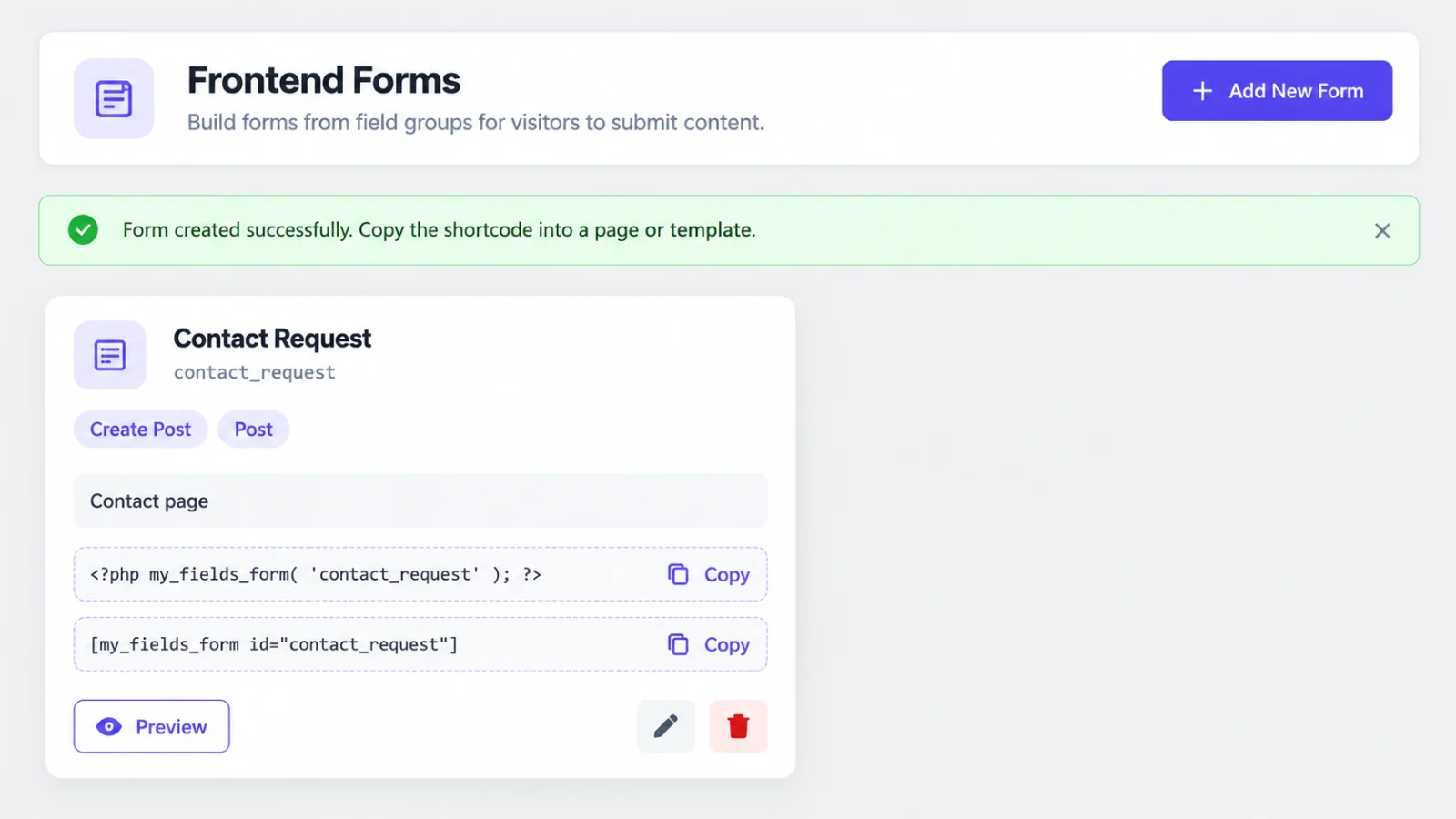
The card shows the code to place the form: click it to copy:
<?php cafe_dynamic_form( 'event-sign-up' ); ?>
or, in a page or post:
[cafe_dynamic_form id="event-sign-up"]
Preview opens the form on your site with your theme (sending is turned off in the preview).
2b. …or in PHP
// functions.php (or a plugin)
add_action( 'init', function () {
	cafe_register_dynamic_form( [
		'id'           => 'event-sign-up',
		'field_groups' => [ 'group_event_details' ], // The group's key (CAFE → Field Groups → the group → key).
		'post_type'    => 'event',
		'post_fields'  => [ 'title' ],
	] );
} );
Then place it the same way: cafe_dynamic_form( 'event-sign-up' ) or the
shortcode. You can also skip registering and pass the arguments directly:
cafe_dynamic_form( [
	'id'           => 'event-sign-up',
	'field_groups' => [ 'group_event_details' ],
	'post_type'    => 'event',
	'post_fields'  => [ 'title' ],
] );
3. Try it
Sign in as an author (or a role that may create events), open the page, fill in the form and send it. By default:
- the event is created as Pending review (people who may publish can get
another status with
post_status); - the message "Thank you, your submission was received." appears;
- the values are in CAFE like any other:
cafe_get_field( 'venue', $event_id ).
Signed-out visitors see "Please log in to use this form." unless the form allows visitors, see Creating posts.
Next
- Editing objects: profile forms, "edit this post" forms.
- Validation: checks across fields ("end after start").
- Security: what CAFE checks for you.